Internal links are hyperlinks that refer to subpages within a domain. They connect two pages of the same domain with each other. Especially in the on-page optimization of search engine optimization, the internal link structure makes up an important component that you should not disregard.
Why do you need internal links?
With internal linking, you can pass on the linking power of a strong page to various sub-pages. This helps your page to be perceived as trustworthy by Google. This has a positive effect on your ranking. The link power is a fictitious unit of measurement from which you can read how much energy the link passes on to the linked page. This can be done, for example, in the form of information to the search engine. This tells it that further content is interesting and relevant to the user. Also, internal links let the visitor of your website and the Googlebot clearly see which pages of your website are particularly important. Even with small pages, you should build the internal links from and to subpages logically and structured, to achieve advantages for the ranking.
How do internal links work?
An internal link shows the user, as well as the Googlebot, the way on your page – the so-called click path. The user receives hints from you for supplementary, further pages and additional information that he might not have found on his own. The better the user finds his way around your website, the longer he will stay on your site. In turn, your site benefits from the longer dwell time. By placing important and meaningful links on your website, you give your page structure and lead your visitor systematically through your website. Unlike external links, internal links do not lead the user away from your site.
Should internal links point to redirects?
You should always set internal links to the finalURL and thus avoid redirects. If your links are redirected, the Googlebot will follow the redirects. If there are too many of them, the crawling process will be aborted. As a result, it will take longer until your page can be indexed. Moreover, with redirected internal links you send Google very unclear signals which page the bot should index.
Behind the scenes – what does an internal link look like
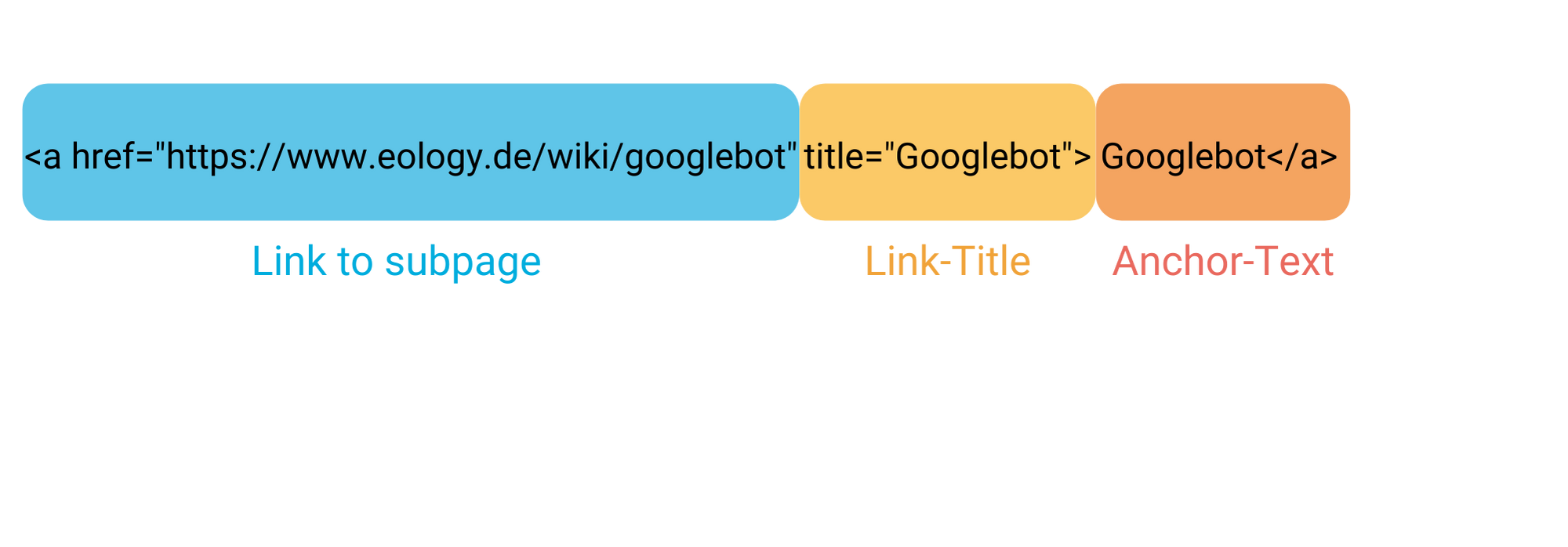
An internal link consists of
a (sub-) page to which a link is provided
the link title
your anchor text
Your source code view and structure will be as follows:
Representation of the individual components of an internal link with link to the subpage, link title and anchor text.
Your advantages with internal linking
Your users and the search engines can find content more easily
The dwell time of the users on your page increases
Visitors to your website are navigated through your site
The Googlebot is facilitated crawling
The dos and don’ts of internal linking
Dos
Don’ts
Set interesting links for the user
Do not link inappropriate and irrelevant topics to each other
Make your link recognizable for the user, you can e.g. highlight it with color
Do not hide your links, for example by using white text on a white background. Google notices that and penalizes that
Create your anchor text with a meaningful keyword
Use different anchor texts for different link targets
Google can read the link title, so choose it appropriately
Your links should be checked regularly by you to avoid redirecting them to incorrect pages
Set your internal links sensibly and not in excess (e.g. not 50 links on one page)
Artificial intelligence (AI) is a term that comes up in almost every technology conversation these days. From revolutionary AI-based products like DALL-E and ChatGPT from OpenAI to Google Bard and Google SGE redefining the way we search and process information, AI has changed our world ... Continue readingArtificial intelligence
With UTM parameters you can track the success of your online marketing campaigns. Learn how to generate them correctly here! ... Continue readingUTM Parameter
Portfolio analyses allow you to evaluate your company's offering and gain an important overview of its products. ... Continue readingPortfolio analysis
You are currently viewing a placeholder content from Hubspot Embedded Content. To access the actual content, click the button below. Please note that doing so will share data with third-party providers.
You are currently viewing a placeholder content from HubSpot. To access the actual content, click the button below. Please note that doing so will share data with third-party providers.
You are currently viewing a placeholder content from Hubspot Meetings. To access the actual content, click the button below. Please note that doing so will share data with third-party providers.